
AppointmentJump is a product of Stakkivation LLC
Opt in to AppointmentJump texts
Stakkivation LLC sends low-volume account notifications for its AppointmentJump product to business users who opt in via the website or SMS keyword. Messages include account updates, billing notices, alerts, and product updates.
Texts are sent as AppointmentJump: by Stakkivation LLC. No login is required.
AppointmentJump is a virtual scheduler and CRM suite for pool and spa businesses. This program is not for texts a local shop sends to its callers under the shop's name.
How end users opt in
There are three public opt-in methods. No login is required to view or complete them. Consent is not required to purchase or use this website. You must be 18 or older. The consent box starts unchecked and is optional. Each form has a Skip texts button. Message frequency varies. Message and data rates may apply. Reply STOP to opt out. Reply HELP for help or email [email protected].
Website form on this page (no login)
- Open https://appointmentjump.com/sms. You can also scan the QR code on this page. The QR opens the same URL.
- Enter your U.S. mobile number in the form below if you want texts. The number field is optional.
- Read the consent language. The box starts unchecked and is optional.
- To opt in, check the box yourself, then click Subscribe to texts. To decline, leave the box unchecked or click Skip texts. You can still use AppointmentJump without messages.
- You are opted in only if you checked the box and subscribed.
Account signup form (public, no login)
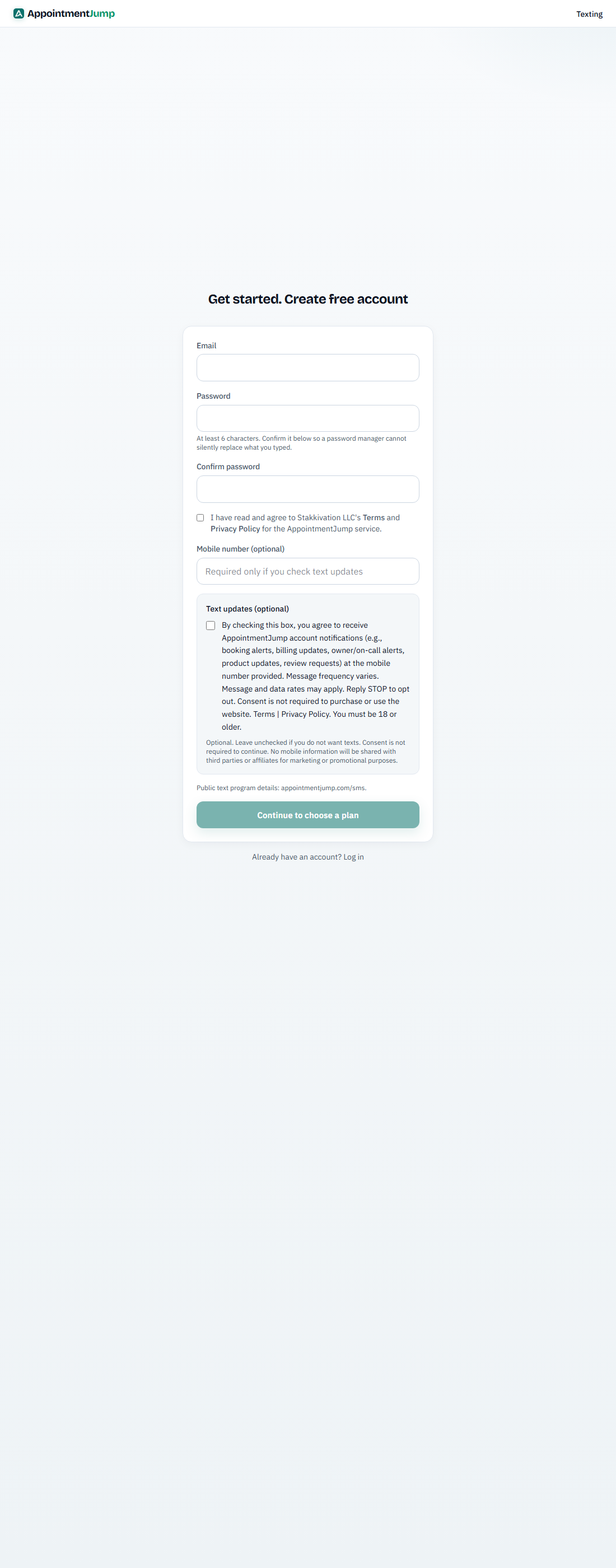
- Open the public signup form at https://appointmentjump.com/signup. That public form has an optional mobile number field and the same unchecked SMS consent box. Same language as below. No login is required to view it.
- To complete this signup-style opt-in without creating an account, use the same consent on this page at https://appointmentjump.com/sms#signup-opt-in. Enter a U.S. mobile number.
- Read the SMS consent language. That box starts unchecked.
- To opt in, check the SMS box yourself and click Continue. To decline, leave it unchecked or click Skip texts. Checking it is not required to create an account.
- If the box is checked, the mobile number entered is opted in.
Text-in keywords (no login)
- From the mobile number that should receive texts, send START, YES, UNSTOP to (754) 704-1517.
- You receive the confirmation text shown under Text opt-in confirmation.
Consent language used at opt-in: By checking this box, you agree to receive text messages from AppointmentJump at the mobile number provided. This includes account notifications (such as booking alerts, billing updates, owner/on-call alerts, product updates, and review requests) and other communications from AppointmentJump. Message frequency varies. Message and data rates may apply. Reply STOP to opt out. Consent is not required to purchase or use the website. Terms | Privacy Policy. You must be 18 or older.
Terms | Privacy Policy. No mobile information will be shared with third parties or affiliates for marketing or promotional purposes.
Opt-in evidence
Reviewers can verify consent on these public URLs. No login is required. The consent language is next to the unchecked checkbox, not only in a linked document.
- Website form: https://appointmentjump.com/sms#opt-in
- Account signup: https://appointmentjump.com/signup
- Signup-style form without creating an account: https://appointmentjump.com/sms#signup-opt-in
- Keyword call to action: https://appointmentjump.com/sms#keyword
- Screenshots: website form, signup, keyword
- All evidence: https://appointmentjump.com/sms/a2p-evidence
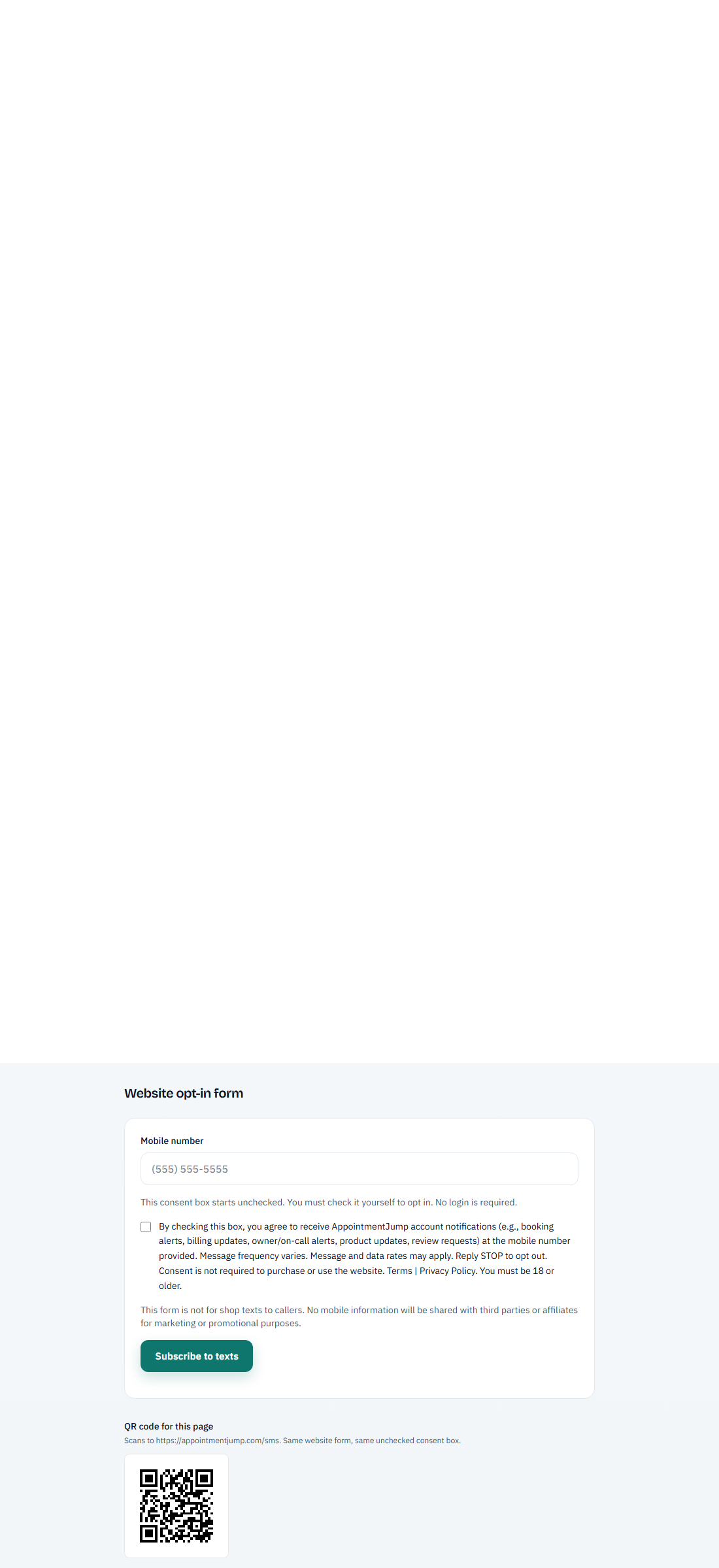
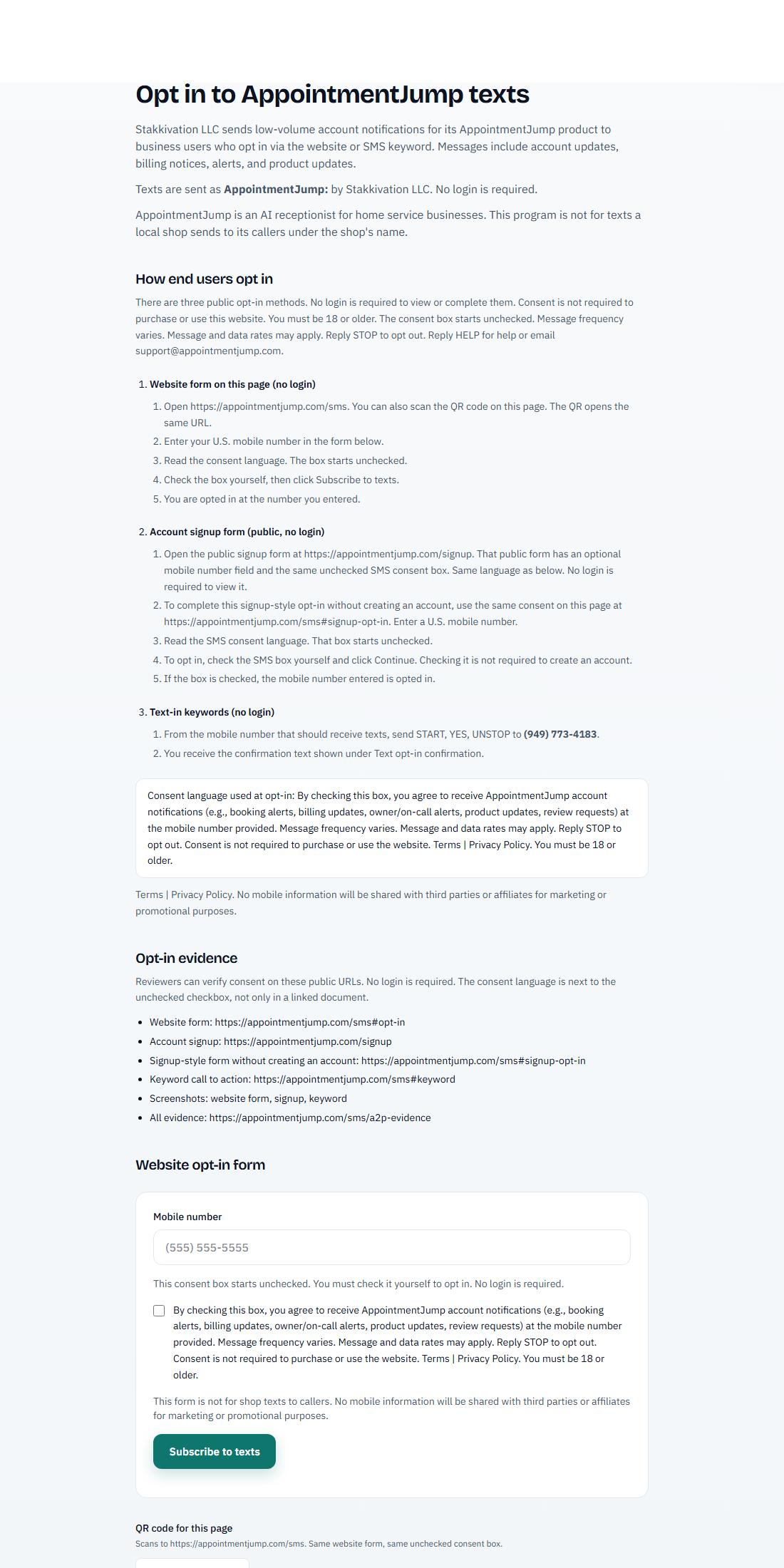
Website opt-in form
QR code for this page
Scans to https://appointmentjump.com/sms. Same website form, same unchecked consent box.

Account signup form
Keyword opt-in
This keyword opt-in is advertised on this public page. Keywords: START, YES, UNSTOP. Text them to (754) 704-1517 from the mobile number you want to receive texts on.
AppointmentJump: You are now opted in to AppointmentJump account notifications. Message frequency varies. Reply HELP for help. Msg&data rates may apply. Reply STOP to opt out.
Text opt-out and help
Opt out keywords: CANCEL, QUIT, STOP, OPTOUT, UNSUBSCRIBE, STOPALL, REVOKE, END. Help keywords: HELP, INFO.
AppointmentJump: You have successfully been unsubscribed. You will not receive any more messages from this number. Reply START to resubscribe.
AppointmentJump: For help email [email protected]. Reply STOP to unsubscribe. Msg&data rates may apply.
Example messages
Messages may include links and phone numbers. Reply STOP to opt out of this program.
- AppointmentJump: Your account is ready. https://appointmentjump.com. Reply STOP to opt out.
- AppointmentJump: A billing update is available. https://appointmentjump.com. Reply STOP to opt out.
- AppointmentJump: Account alert: new booking on your AppointmentJump account. [Customer name] requested [job type] on [date] at [time]. Callback: +15551234567. Reply STOP to opt out.
- AppointmentJump: Account alert: new voicemail on your AppointmentJump account. [Caller name] at +15559876543 left a message. Open https://appointmentjump.com to review it. Reply STOP to opt out.